↗ Creative / Direct Outreach Template
Social Work & Nonprofit Resume — Sidebar Pro Template
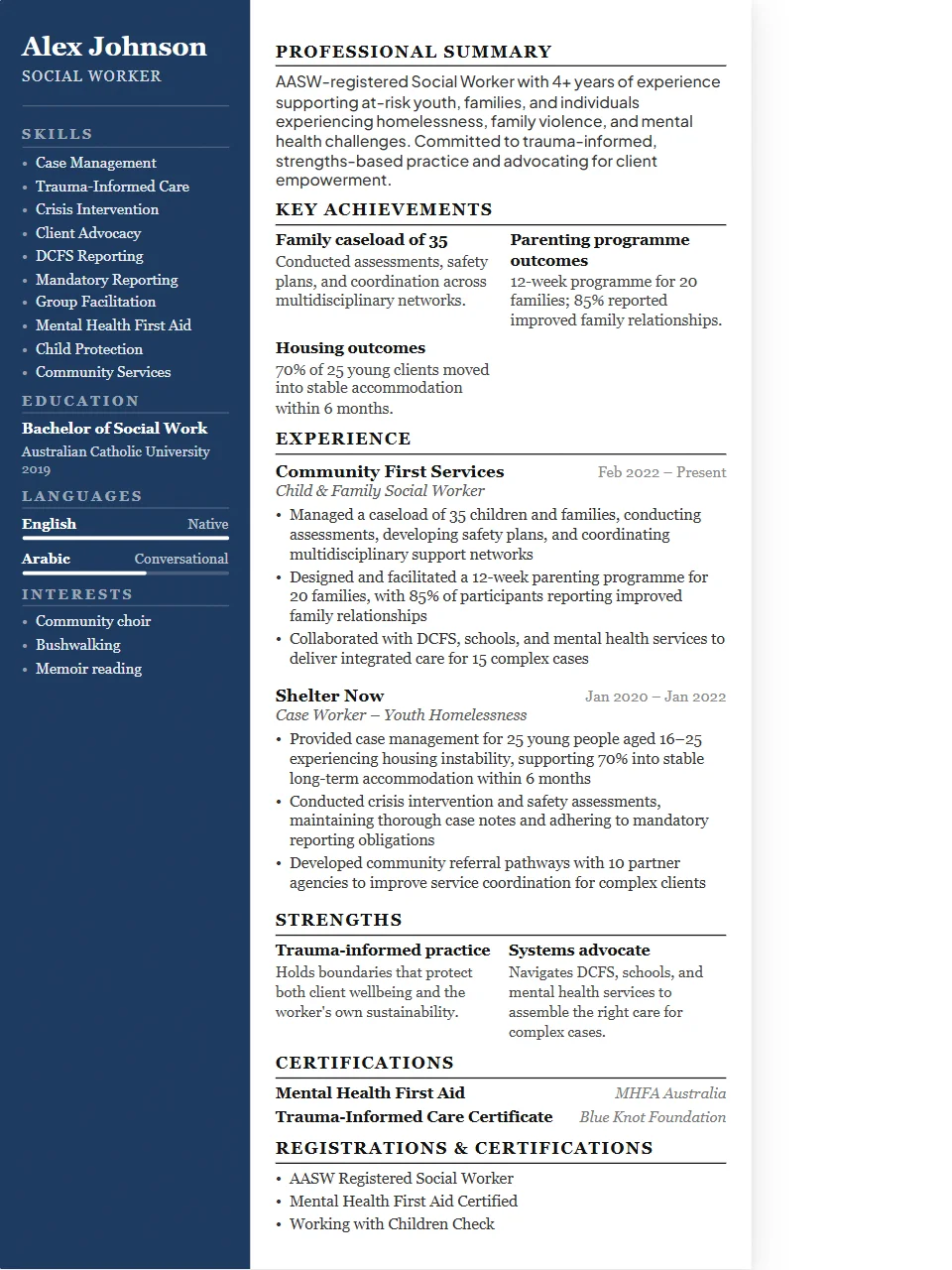
Social work and nonprofit resumes balance mission-driven language with operational credibility. Caseload size, programme outcomes, grant funding secured, and community reach numbers demonstrate real impact. Sidebar Pro features a rich left panel for credentials, certifications, languages, and contact details — giving your experience section the full width of the right column to develop impact statements at depth.
Why the Sidebar Pro layout works for social work & nonprofit roles
check_circleSenior professionals with rich credentials to display
check_circleMultilingual candidates and international applications
check_circleTechnical roles with extensive certification portfolios
check_circleDirect outreach where visual distinction matters
Not ATS-safe. Best for direct recruiter outreach, networking, and portfolio submissions — not ATS-gated job boards.
Key skills to include on your social work & nonprofit resume
ATS systems scan for these keywords. Make sure the ones that match your experience appear in your resume.
Case ManagementCrisis InterventionCommunity OutreachGrant WritingAdvocacyLCSWMSWChild WelfareMental HealthTrauma-InformedResource Coordination
Writing tips for social work & nonprofit resumes
- 1Quantify your caseload and the populations you served — scale matters even in mission-driven work.
- 2Show funding outcomes: grants secured, programme budgets managed, sponsorship relationships.
- 3Mention certifications (LCSW, LMFT, MSW) early — they're licensing requirements in many roles.
Common job titles this template targets
Social WorkerCase ManagerProgramme CoordinatorNonprofit ManagerOutreach SpecialistLCSWAdvocacy Director
More Social Work & Nonprofit templates
Social Work & Nonprofit — Classic✓ ATS-Safe
Social Work & Nonprofit — Executive✓ ATS-Safe
Social Work & Nonprofit — Modern✓ ATS-Safe
Social Work & Nonprofit — Compact✓ ATS-Safe
Sidebar Pro templates for other Healthcare roles
edit_documentUse this template free →
Free · No account required · Export as .docx or PDF