✓ ATS-Safe Template
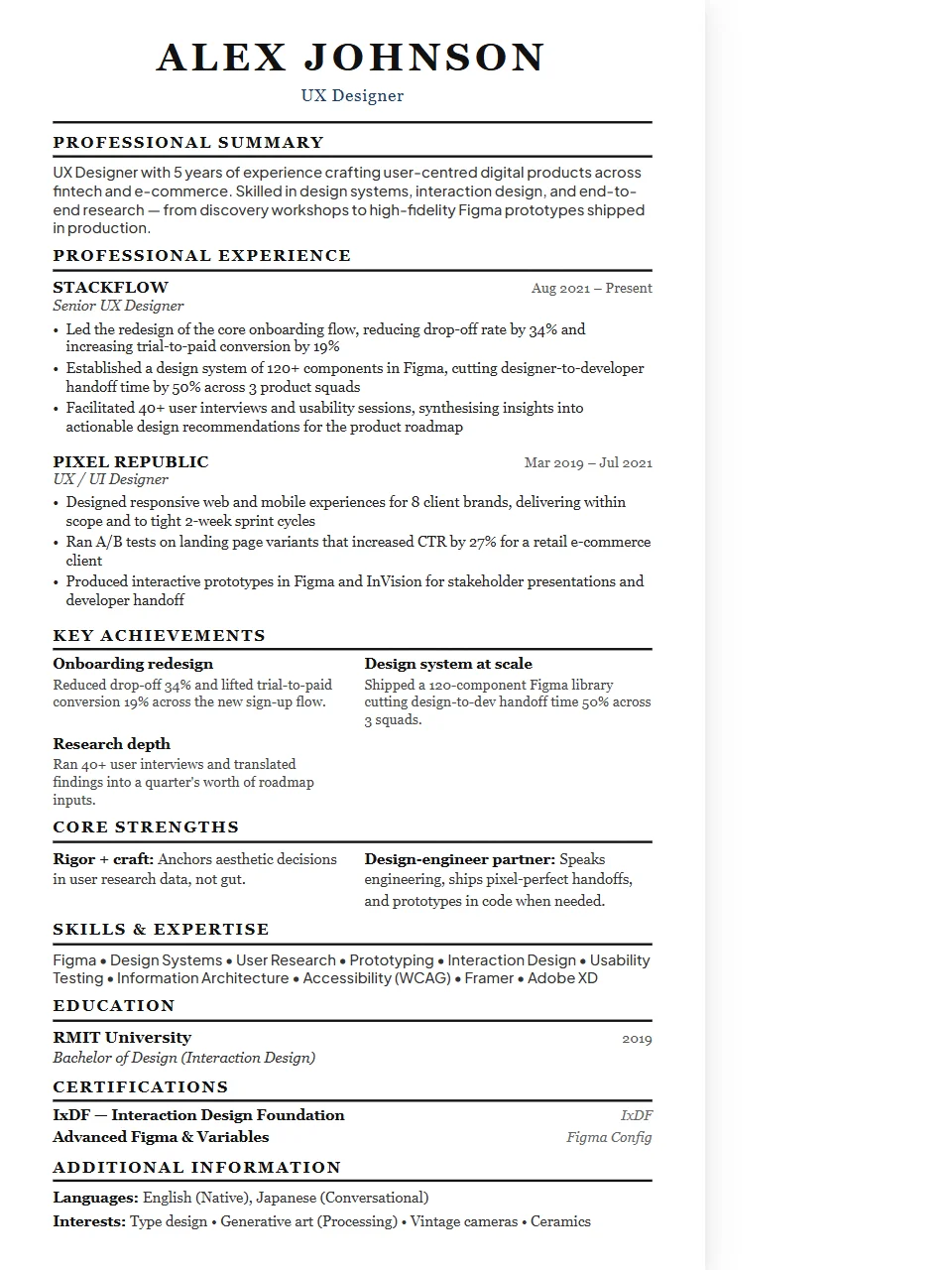
Design & Creative Resume — Executive Template
Design resumes are your first portfolio piece — formatting matters more here than in almost any other field. The goal is clean hierarchy, intentional whitespace, and just enough visual personality without sacrificing readability. The Executive layout commands authority. Wider margins, stronger typographic hierarchy, and a more structured heading style project the gravitas that suits director, VP, and C-suite applications.
Why the Executive layout works for design & creative roles
check_circleSenior leadership and C-suite roles
check_circleBoard-level applications and director positions
check_circleExecutive search and headhunter submissions
check_circleRoles where prestige and polish are expected
Fully ATS-compatible. Single-column structure is parsed cleanly by all major systems.
Key skills to include on your design & creative resume
ATS systems scan for these keywords. Make sure the ones that match your experience appear in your resume.
FigmaSketchAdobe XDIllustratorPhotoshopInDesignPrototypingUser ResearchDesign SystemsWireframingUsability TestingMotion Design
Writing tips for design & creative resumes
- 1Always include a portfolio link — your resume gets you the interview, your portfolio gets you the offer.
- 2Lead bullets with design outcomes: "Redesigned onboarding flow, increasing task completion by 34%."
- 3Show your process, not just your output: mention discovery, iteration, and validation steps.
Common job titles this template targets
UX DesignerProduct DesignerUI DesignerGraphic DesignerArt DirectorDesign LeadCreative DirectorMotion Designer
More Design & Creative templates
Design & Creative — Classic✓ ATS-Safe
Design & Creative — Modern✓ ATS-Safe
Design & Creative — Compact✓ ATS-Safe
Design & Creative — Minimal✓ ATS-Safe
Executive templates for other Creative roles
edit_documentUse this template free →
Free · No account required · Export as .docx or PDF