✓ ATS-Safe Template
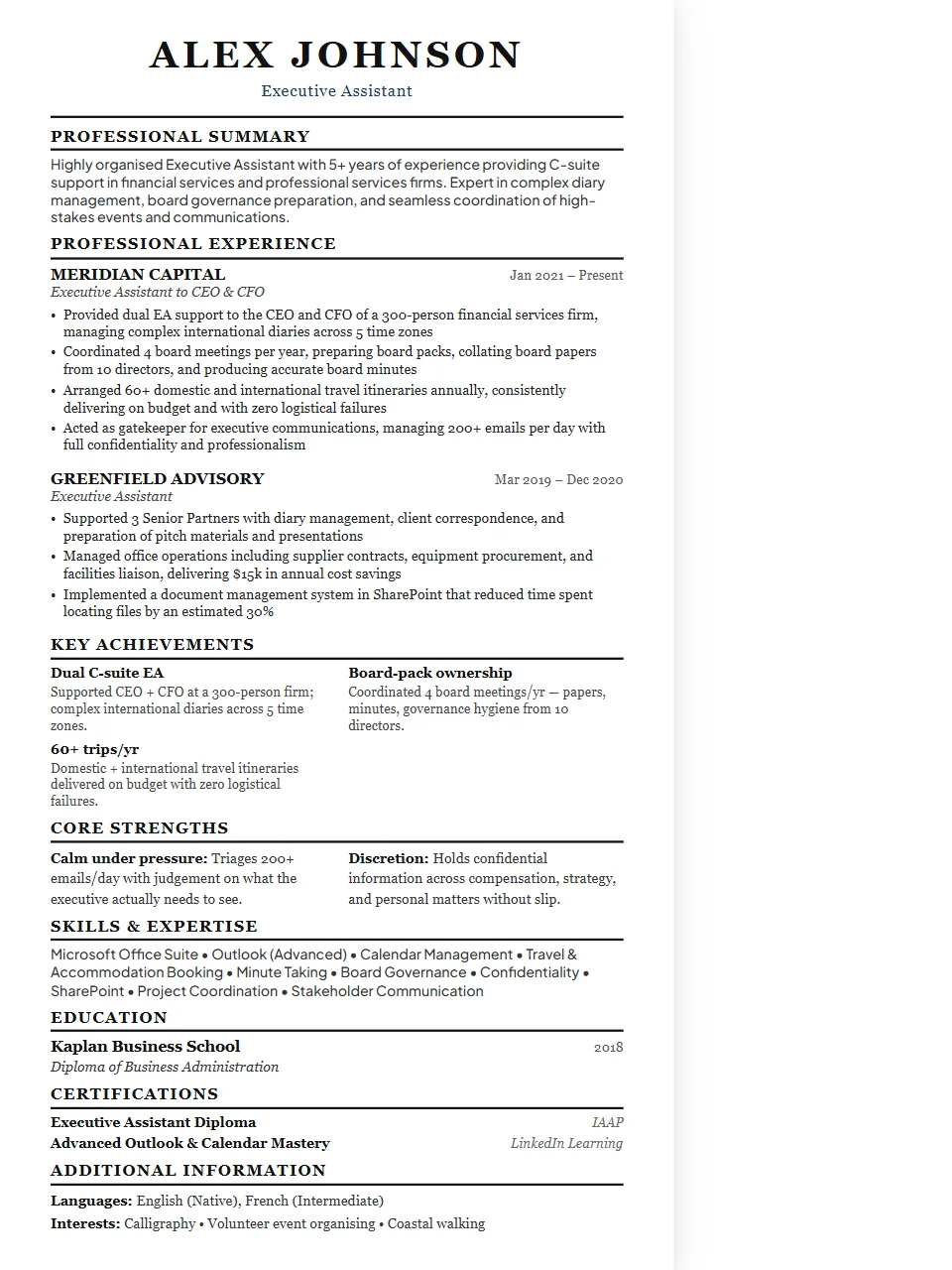
Administrative & Office Resume — Executive Template
Administrative resumes demonstrate reliability, discretion, and organisational leverage. The strongest show the seniority level supported, the volume of complexity managed, and any cost savings or efficiency improvements delivered. The Executive layout commands authority. Wider margins, stronger typographic hierarchy, and a more structured heading style project the gravitas that suits director, VP, and C-suite applications.
Why the Executive layout works for administrative & office roles
check_circleSenior leadership and C-suite roles
check_circleBoard-level applications and director positions
check_circleExecutive search and headhunter submissions
check_circleRoles where prestige and polish are expected
Fully ATS-compatible. Single-column structure is parsed cleanly by all major systems.
Key skills to include on your administrative & office resume
ATS systems scan for these keywords. Make sure the ones that match your experience appear in your resume.
Microsoft OfficeGoogle WorkspaceCalendaringTravel ManagementExpense ReportingDatabase ManagementDocuSignConcurZoomSlackConfidentiality
Writing tips for administrative & office resumes
- 1Indicate the seniority of who you support — "C-suite" or "VP level" is concise and clear.
- 2Show the scale: number of calendars managed, travel bookings per month, events coordinated.
- 3Highlight any cost reduction initiatives: renegotiated vendor contracts, travel spend reduction, etc.
Common job titles this template targets
Administrative AssistantExecutive AssistantOffice ManagerPersonal AssistantSenior EAChief of StaffOperations Coordinator
More Administrative & Office templates
Administrative & Office — Classic✓ ATS-Safe
Administrative & Office — Modern✓ ATS-Safe
Administrative & Office — Compact✓ ATS-Safe
Administrative & Office — Minimal✓ ATS-Safe
Executive templates for other Service roles
edit_documentUse this template free →
Free · No account required · Export as .docx or PDF